Overview
- The RENAME TABLE is one of the statements of Data Definition Language (DDL) of SQL.
- RENAME TABLE together with other Statements like CREATE(Create Table, Create Database), DROP, ALTER and TRUNCATE form the Data Definition Language of SQL.
- MySQL Server supports RENAME TABLE statement.
- RENAME TABLE statement renames one or more tables present in a database.
- RENAME TABLE can be used to move one table to another database in the MySQL Server.
Renaming a MySQL Server Table using Python
- A database connection to MySQL Server can be made using PyMySQL, the client library for MySQL which is fully implemented using Python.
- PyMySQL adheres to the Python Database API Specification and any database operation on the MySQL server can be done from a python program using the connection objects and cursor objects.
- An example Python program is provided here which renames a table and lists the tables present in the database after the RENAME operation.
- The example Python program renames the table from “Price” to “Rate”.
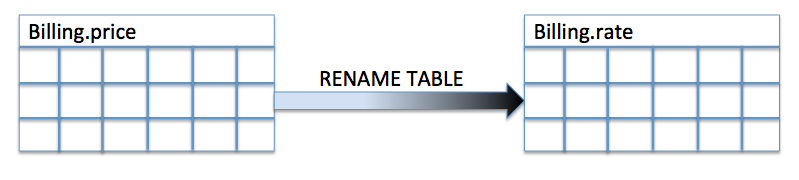
Fig: Renaming a table from Price to Rate
Example
# import the mysql client for python

import pymysql

# Create a connection object

mysqlServer         = "127.0.0.1"

mysqlUser           = "root"

mysqlUserPassword   = ""

mysqlDBName         = "billing"

charSet             = "utf8mb4"

connectionObject   = pymysql.connect(host=mysqlServer, user=mysqlUser, password=mysqlUserPassword,

                                     db=mysqlDBName, charset=charSet)

try:

    # Create a cursor object

    cursorObject            = connectionObject.cursor()

    # SQL string to create a MySQL table

    renameTableCommand   = "RENAME TABLE PRICE to RATE"

    # Execute the rename table SQL command

    cursorObject.execute(renameTableCommand)

    # List the tables using SQL command

    showTablesCommand    = "show tables"

    # Execute the SQL command

    cursorObject.execute(showTablesCommand)

    #Fetch all the rows - from the command output

    rows                = cursorObject.fetchall()

    print("List of tables:")

    for row in rows:

        print(row)

except Exception as e:

    print("Exception occured while renaming a database table:{}".format(e))

finally:

    connectionObject.close()
##
Output
List of tables:

('RATE',)
##